Lay a TV flat on the table and Fog Table turns it into a living map. Fog lifts as the
party explores, braziers light the crypt, storms roll in and dice tumble across the
board. You run it from your laptop; your players follow along on their phones.
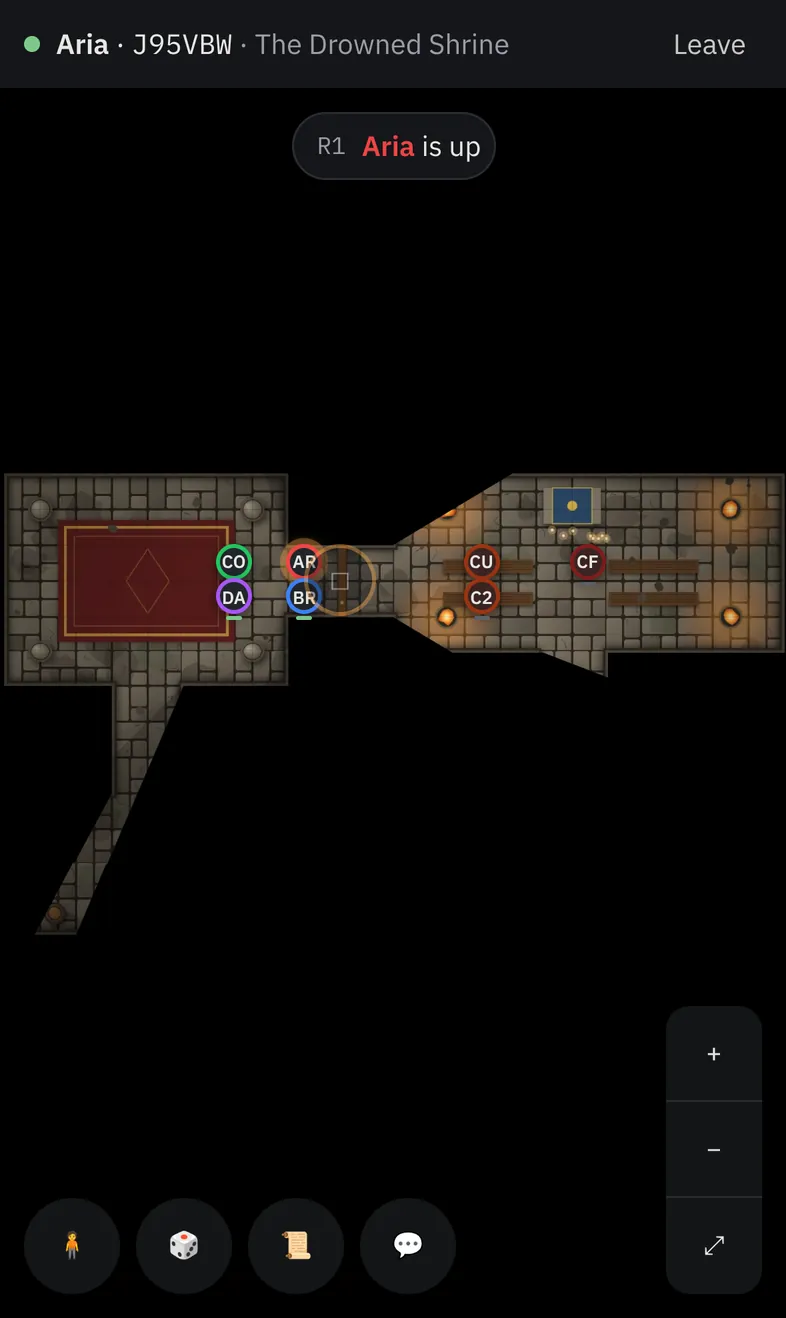
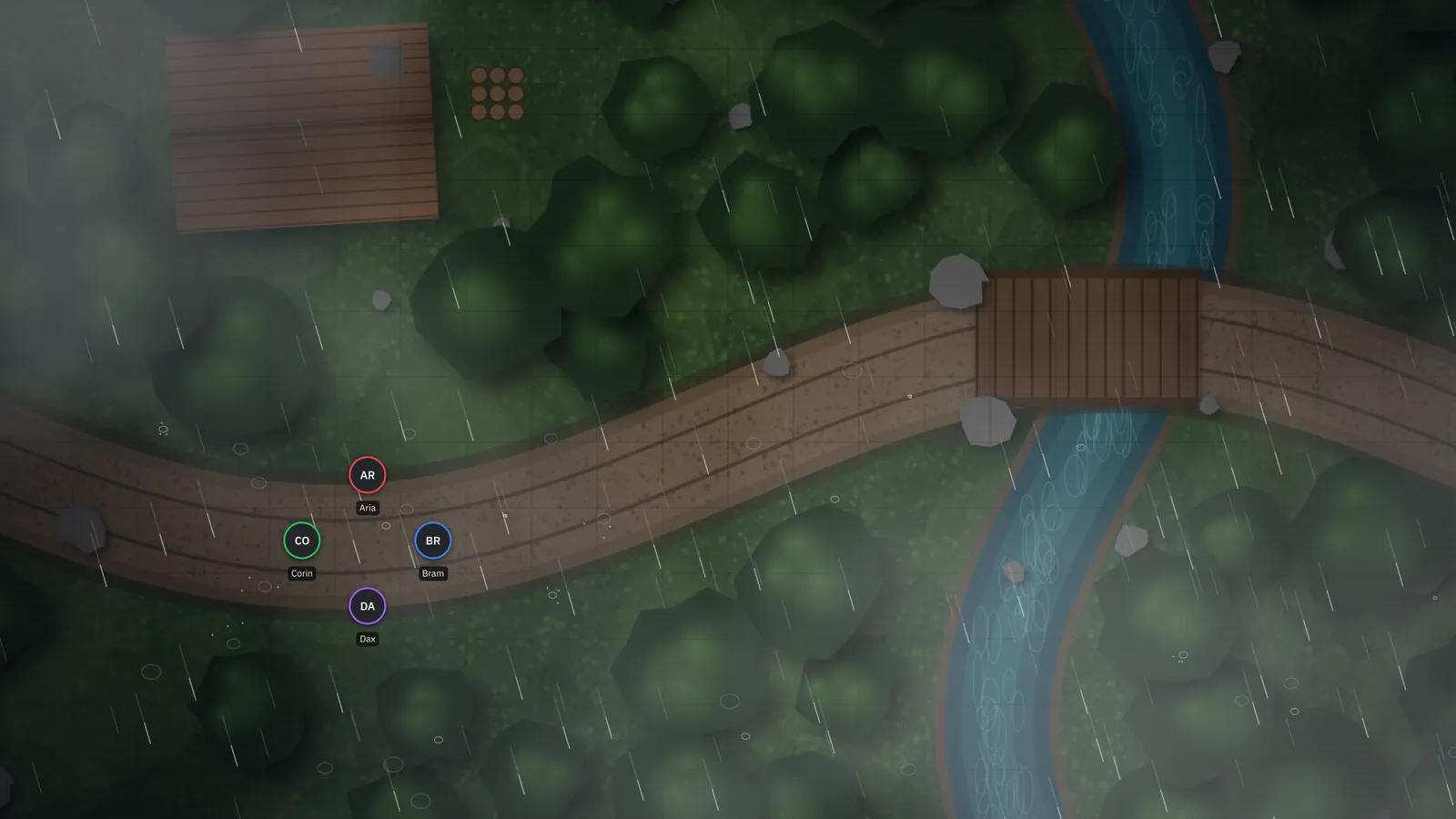
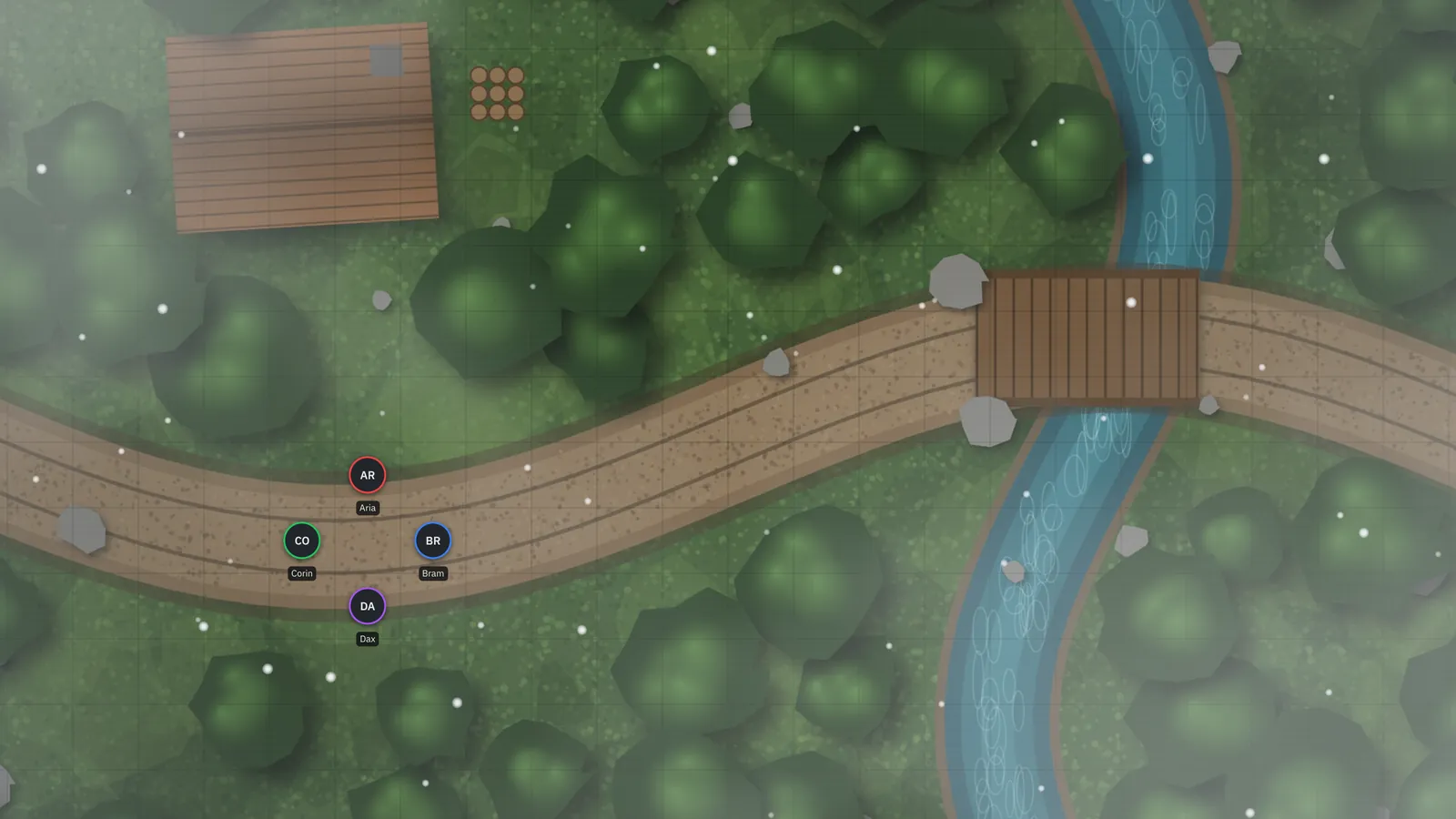
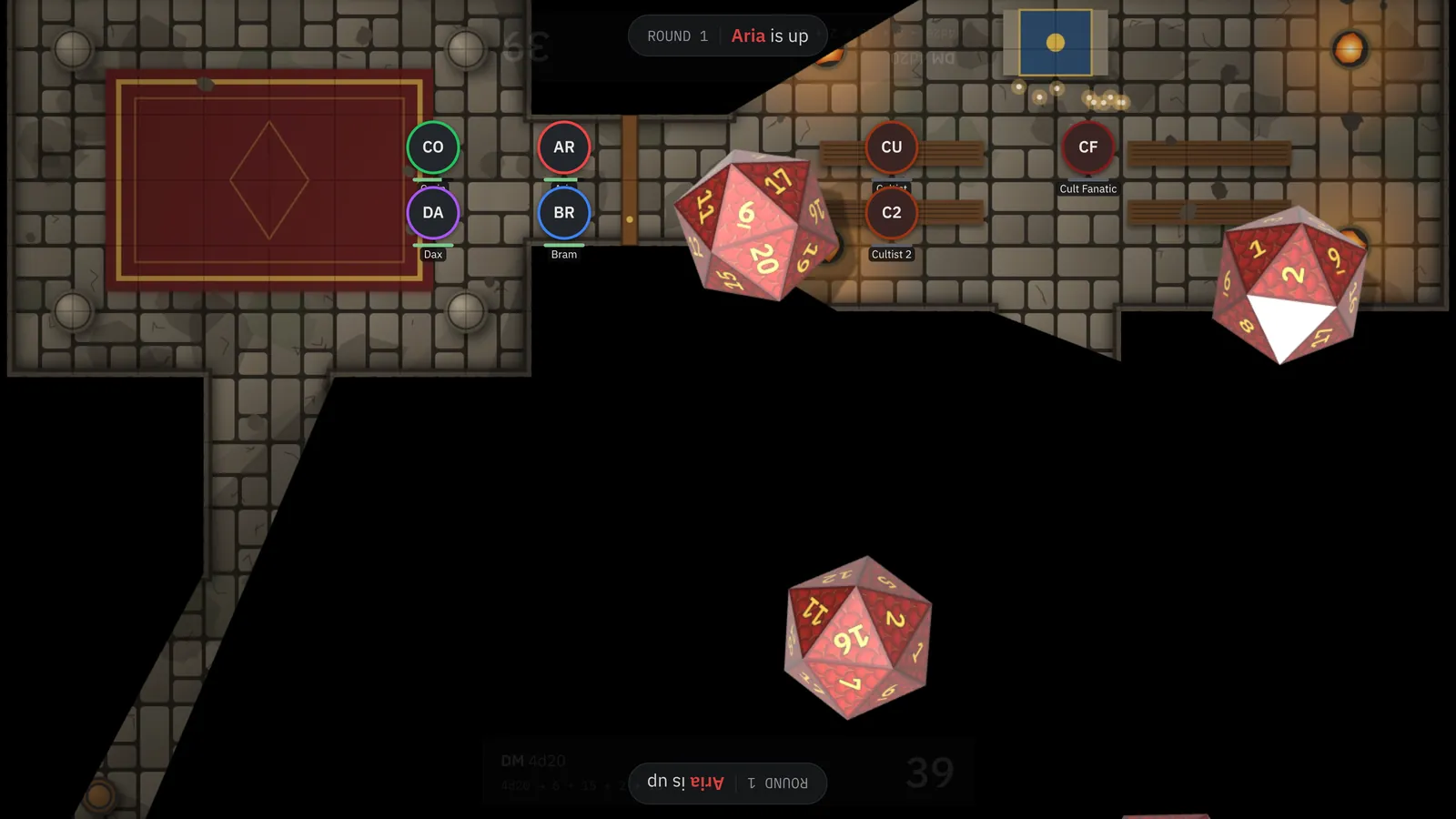
The table TV during a thunderstorm, and a player's phone following along.
Fog of warWalls & lightWeather3D diceInitiativeCampaign wikiPlayer phonesOffline
Three screens, one game
You see everything. The table sees the adventure.
Your laptop is the DM console. The TV shows only what the party can see. Phones put
dice, character sheets and the map in every player's hand.
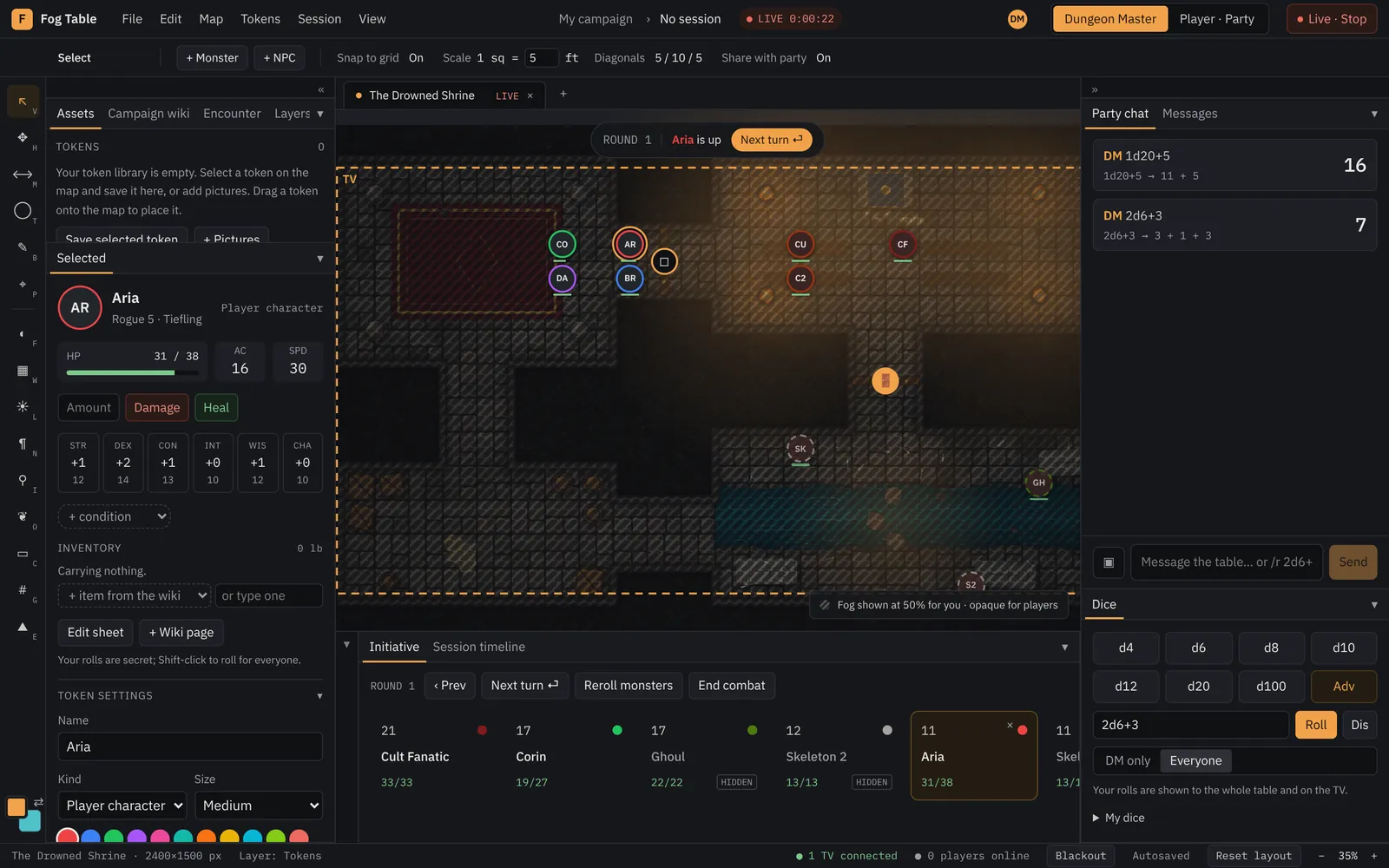
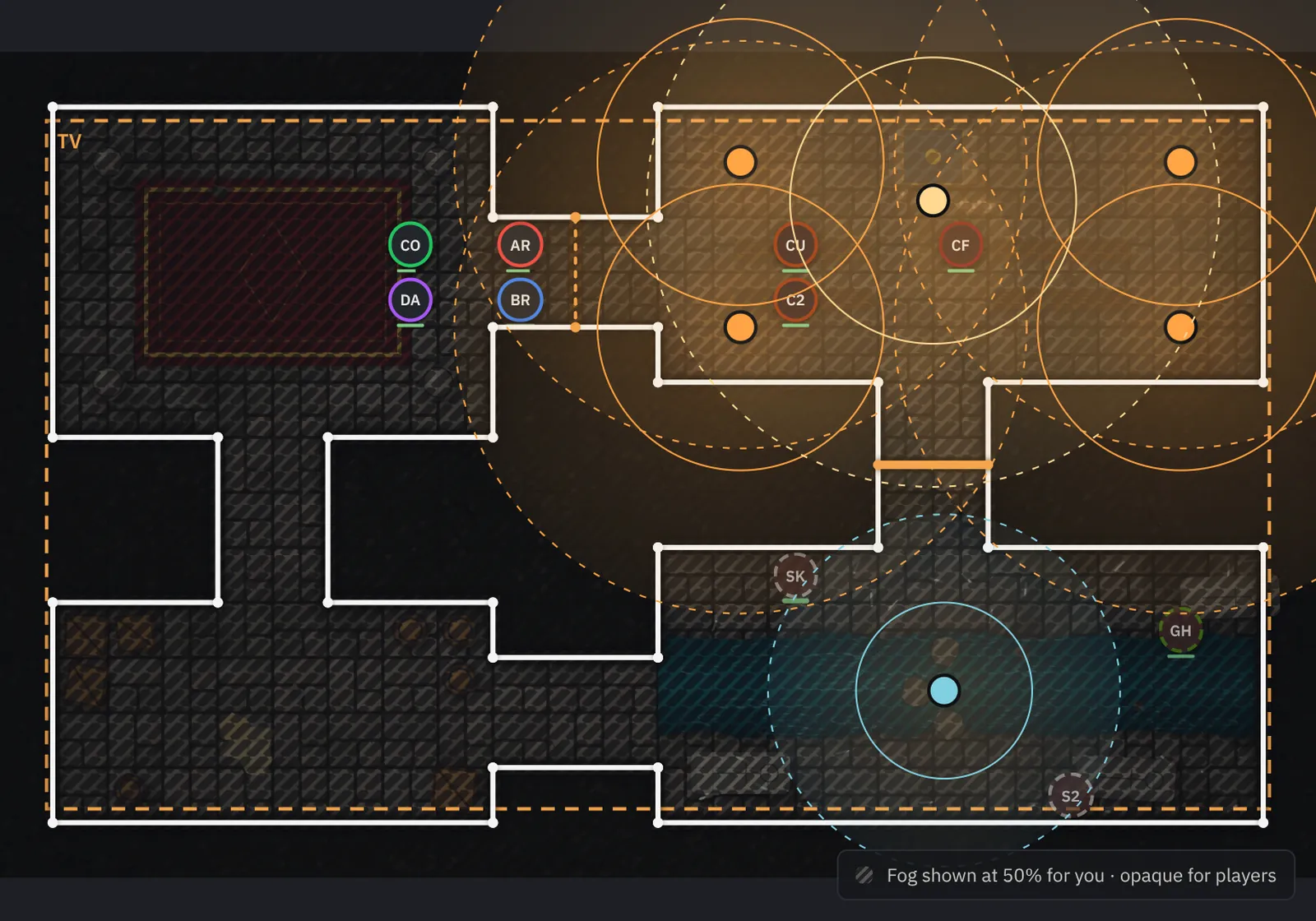
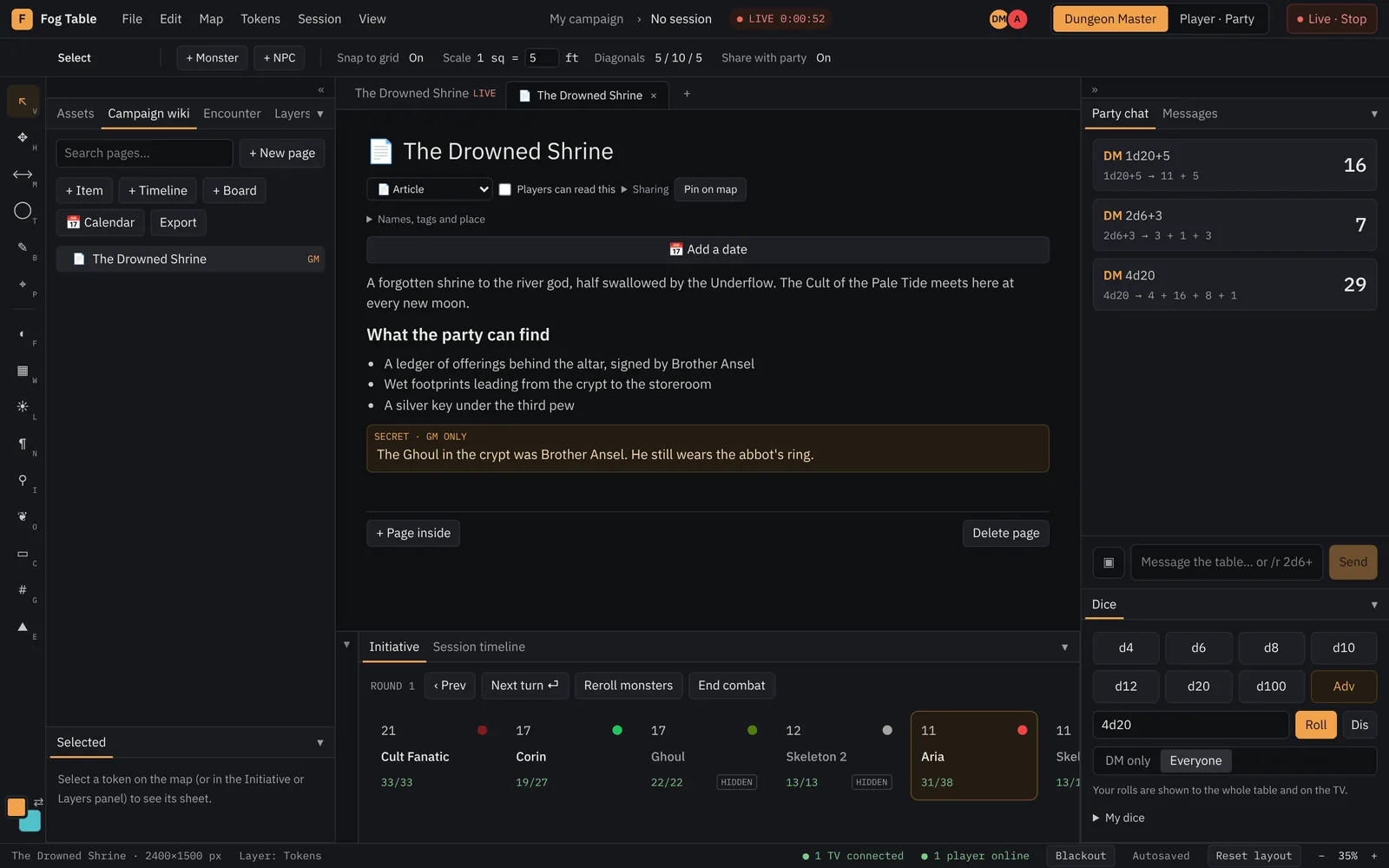
The DM console. Hidden monsters, GM notes and half-transparent fog
for you; initiative, stat blocks and every roll in reach.
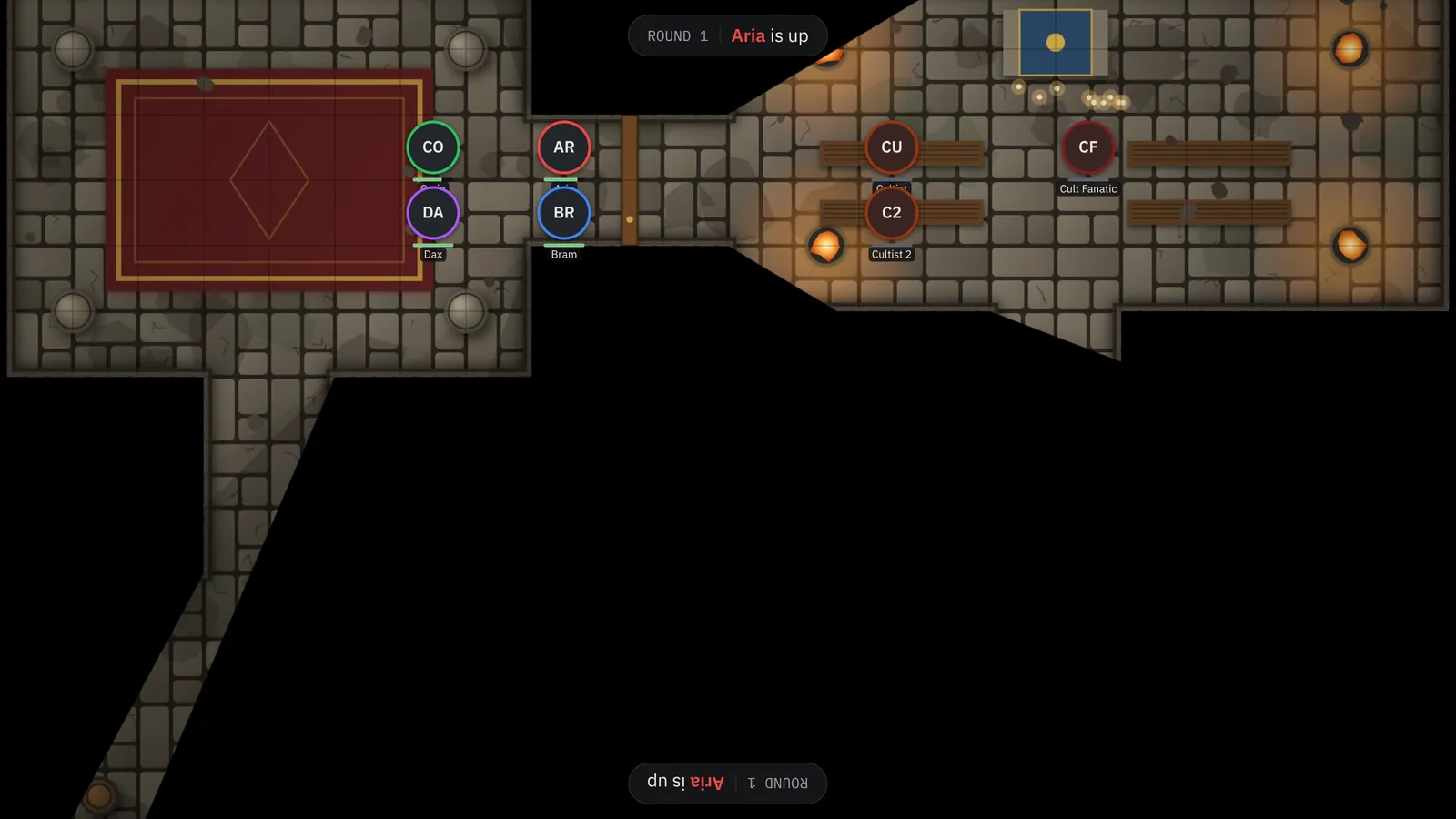
The table TV. Only what the party can see, lit by their torches and
the braziers in the shrine.
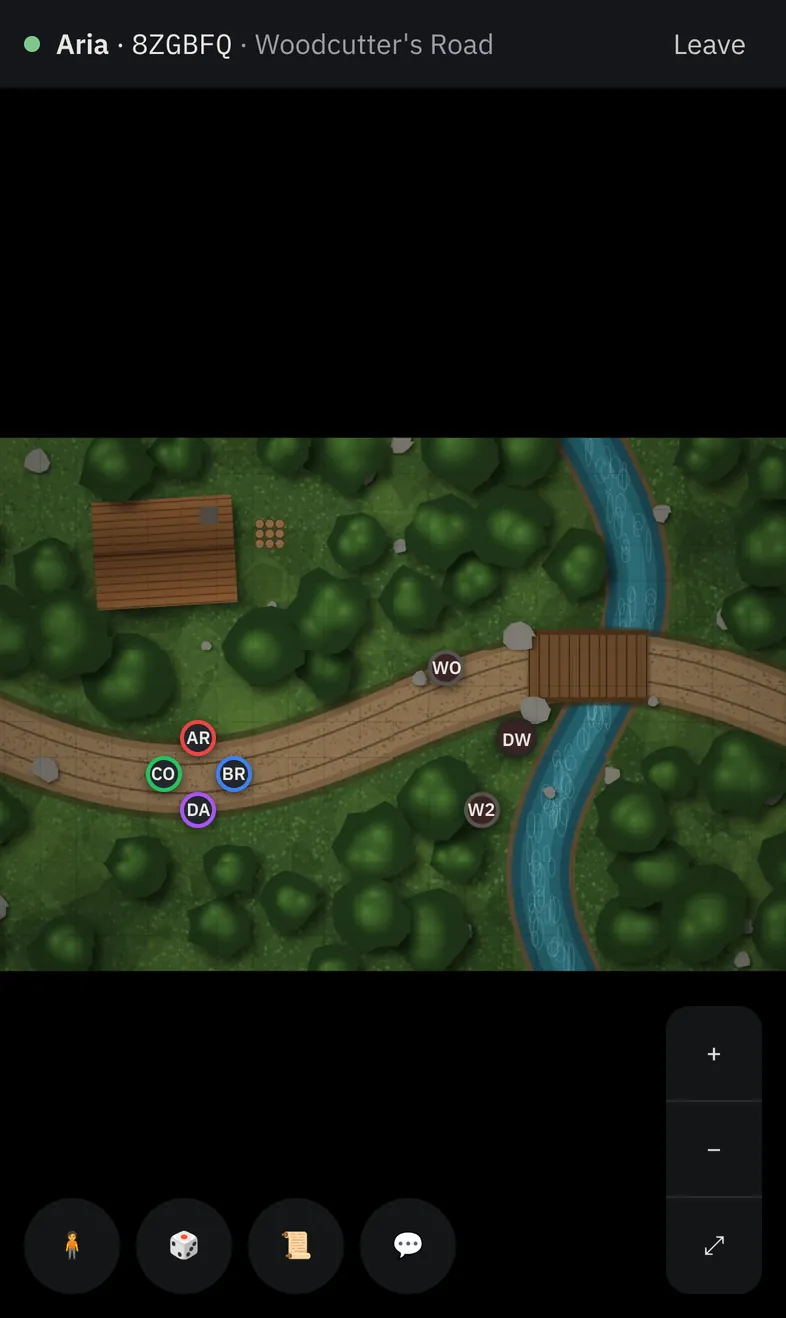
Players' phones. Join with a QR code or a link. No app, no account.
Fog of war
Fog that knows where the walls are.
Paint the fog away by hand, or let the map decide. Draw walls and doors, place
torches and braziers, and the party sees exactly what their characters would, with
darkvision, closed doors and long shadows.
Import Universal VTT maps from Dungeondraft with walls, doors and lights
Or let Fog Table find the grid, walls and doors in any map picture
Each player's phone can show only what their own character sees
Your view: walls, doors and lights, with the fog at half strength. The TV above
shows what the party sees.
Weather
Weather your players will feel.
Rain, thunderstorms, snow, blizzards, embers, ash, falling leaves, fireflies and
sandstorms, with rolling fog, wind and lightning strikes, animated right on the
table. Every screen turns the detail down by itself if it starts to stutter.
Dice
Dice everyone watches land.
Public rolls tumble across the TV as 3D dice in the roller's colour, and the result
reads right side up from both ends of the table. Players roll from their phones;
your console does the rolling, so nobody can fake a natural 20.
Formulas, advantage and disadvantage, secret rolls for the DM
Or log a roll made with real dice
Campaign wiki
A campaign wiki that keeps your secrets.
Nested pages for places, people and plots, linked as you type. Secret blocks stay
with you; share a page and players read it without them. Maps, tokens and characters
get pages of their own.
Combat, handled
Roll initiative for the whole map in one click. Stat blocks, HP, conditions and an
SRD 5.1 bestiary, with encounter difficulty for your party.
AI map generation
Describe a place and get battle maps with the grid set and walls detected, ready to
play. Part of the paid plan.
Video and YouTube maps
Animated maps play in sync on every screen, with ambience sounds on the TV.
Built for real minis
Set your TV's size for one-inch squares, and show tokens in full, as rings, or not
at all.
Private by design
Maps live in your browser. Phones get only the revealed parts of the map, never the
file or the fog.
Works offline
Install it like an app. A TV on the same computer needs no internet at all, and
backups fit in one file.
How it works
At the table in three steps.
1
Add a map
Drop in an image, a video, a YouTube link or a Dungeondraft file, or generate one.
2
Connect the TV
Open the TV window on a second screen, or type a room code on any device, then cast
the map to the table.
3
Invite your players
They scan a QR code or open an invite link, type their name and they're in. No app,
no account.
Questions
Good to know
Do I need an account?
No. Everything you need to run a game works without one, and your maps stay in your
browser. An account adds cloud saves, your settings on every device and email
invitations.
What do I need at the table?
A laptop or tablet for the DM and any screen for the table: a TV or monitor lying
flat, connected to your laptop as a second screen, or any device with a browser that
joins with a room code. Players can use their phones, but don't have to.
Does it work without internet?
Yes. Once opened, Fog Table works offline, and a TV on the same computer needs no
connection at all. Phones and TVs on other devices only need the server to say hello;
maps and fog then travel directly over your Wi-Fi.
Can I use my Dungeondraft maps?
Yes. Drop in a Universal VTT file (.dd2vtt, .uvtt or .df2vtt) and you get the map with
its grid, walls, doors and lights. Plain images, MP4 and WebM videos and YouTube links
work too, and Fog Table can find the grid and the walls in a picture for you.
Can I still use miniatures?
Yes. Enter your TV's size and Fog Table scales the grid so one square is one inch.
Tokens on the TV can be shown in full, as coloured rings under your minis, or not at
all.
Can players see what they shouldn't?
No. The TV shows only what the party may see, hidden monsters and GM notes never leave
your screen, and phones never receive the map file or the fog: your browser sends them
only the parts that are revealed.
Lift the fog.
Your next session can start on the table. It takes a minute and costs nothing.